arrow_back BACK_TO_DIRECTORY
How to Configure the Device Network (Network Setup)?
Network setup lets you reconfigure the network when the current connection is poor or no Ethernet cable is connected, so you can switch to a network that provides a better experience. Note: Only the master account has permission to configure the network.
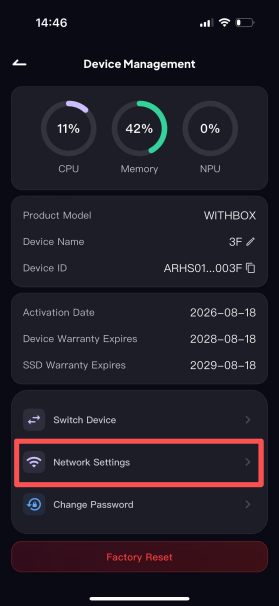
Step 1: Open the [Device Management] page and tap the "Network Settings" entry.
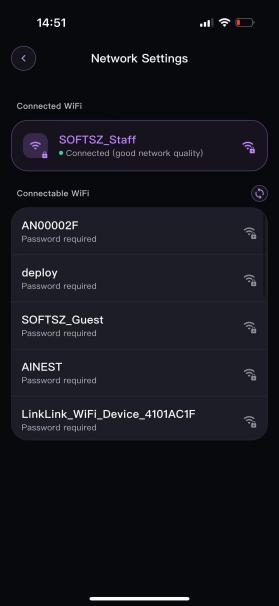
Step 2: Find the target network you want to switch to in the list and tap it. A password input box will pop up.
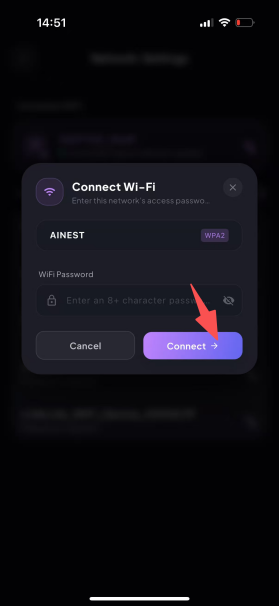
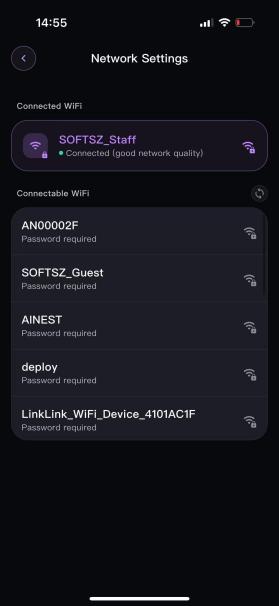
Step 3: Enter the correct Wi-Fi password to connect. After connecting, the network status will be displayed.