arrow_back BACK_TO_DIRECTORY
How to Copy the Device ID?
The Device ID is a unique hardware serial number burned into every WITHBOX device at the factory. Each device has its own exclusive, non-repeatable, unchangeable code (for example: ARHS01...0080). It is the unique identity credential of the device.
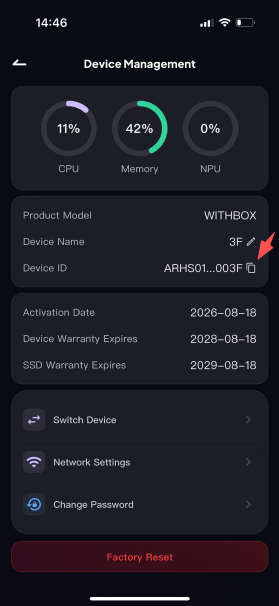
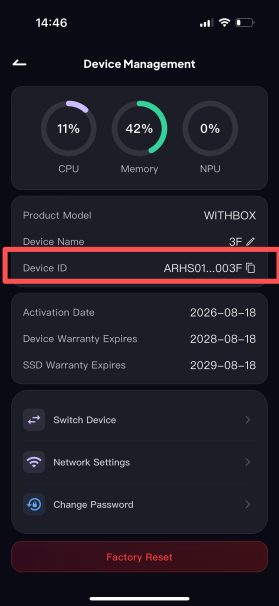
Step 1: Open the [Device Management] page, find the "Device ID" field, and tap the square icon to the right of the ID.
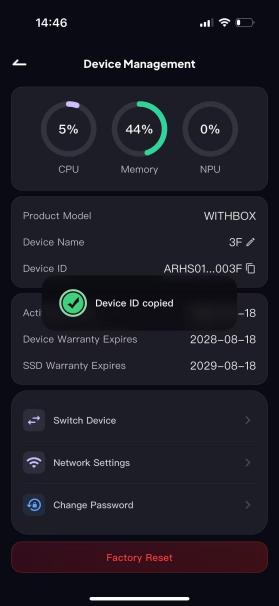
Step 2: After tapping it, the page will show a "Copied" confirmation.