arrow_back BACK_TO_DIRECTORY
How to Switch Devices?
The device list shows all devices managed under the current master account. One master account can manage multiple devices.
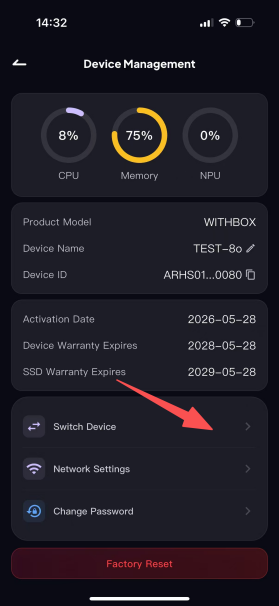
Step 1: Tap "Switch Device" to open the device list.
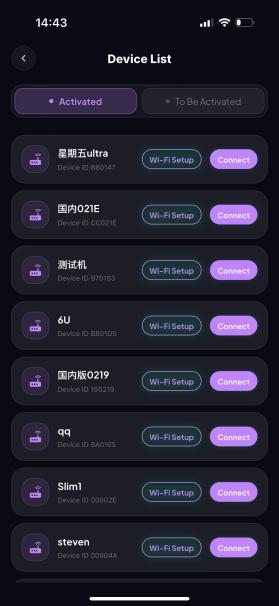
Step 2: Based on the status of the target device, filter by Activated or Not Activated. Once you find the target device, tap Connect.
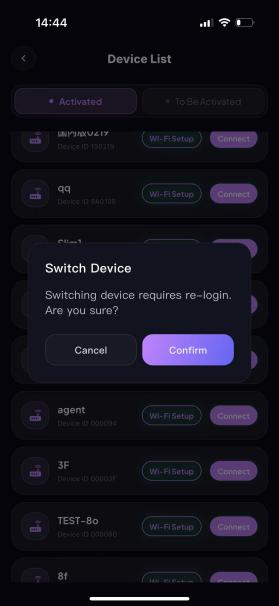
Step 3: After tapping "Switch Device", a confirmation pop-up will appear. Tap OK to proceed to the device connection page.
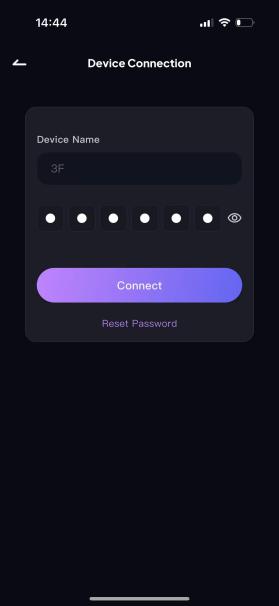
Step 4: Enter the correct 6-digit connection password and tap Connect. The device will be switched successfully.