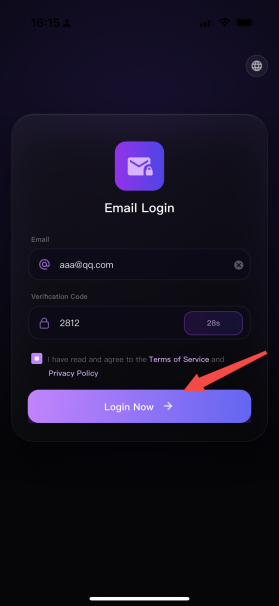
User Device Registration
Registration refers to creating an account on the AINEST platform. The overseas version currently supports email-based registration and login only — logging in counts as registration. This is used to associate the WITHBOX device binding relationship. The associated data of the email address and device ID will be stored in the AINEST cloud service platform.
New User WITHBOX Platform Account Registration & Login Process
Step 1: Open the App and enter the email login page;
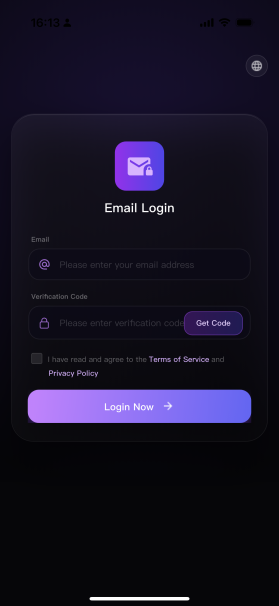
Step 2: Enter your personal email account in the <Email> input field;
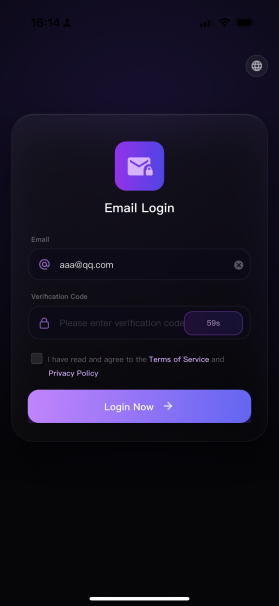
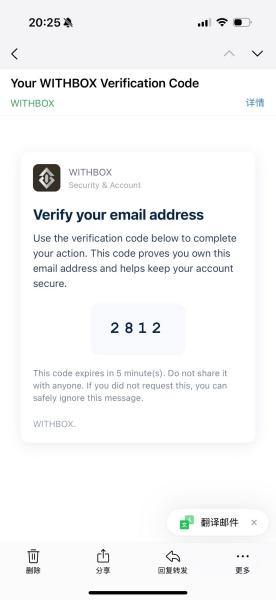
Step 3: Click the <Get Verification Code> button, and the system will send a verification code to the entered email. After receiving the 4-digit verification code, complete the entry in the corresponding input field within 60 seconds. As shown in the figure, the verification code is 2812;
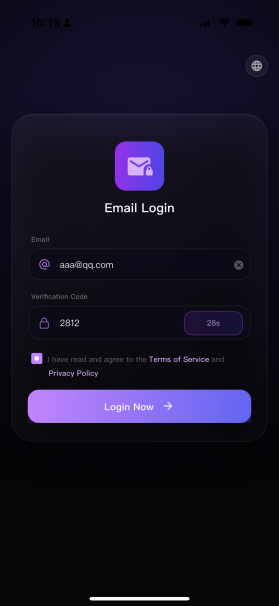
Step 4: After checking the privacy agreement, click the <Login> button below.