Basic AI Notes Operations and Creation
Basic AI Notes Operations
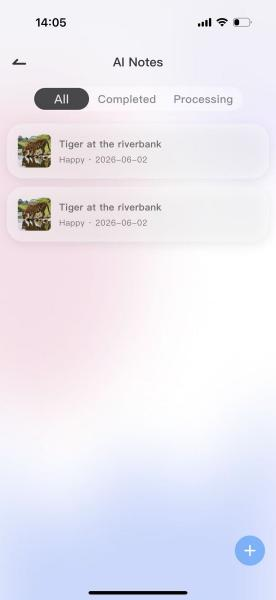
1.Access the To-Do Task homepage. Method 1: Enter from the “AI Notes” section on the homepage. Method 2: Enter from the “Toolbox” tab.
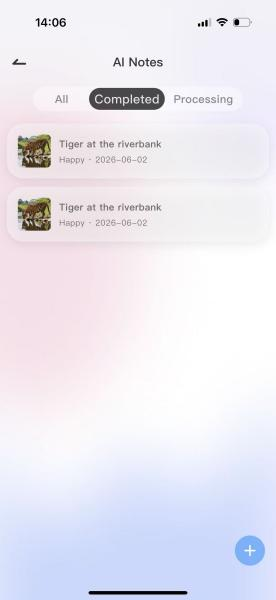
2.Category Filter: Tap “All / Completed / In Progress” at the top of the page to filter notes by status.
3. 查看详情:点击任意一条笔记条目(如 “下午打网球”),跳转笔记详情页,查看配图 + AI 生成全文。
How to Create AI Notes?
1. On the AI Notes list page, tap the blue circular “+” button in the lower-right corner to open the New Note editing pop-up.
2. In the upload area, tap the dashed-box + plus sign in the upper-left corner to select real photos from the album for note generation (multiple images can be selected; AI will parse all image content and synthesize the writing).
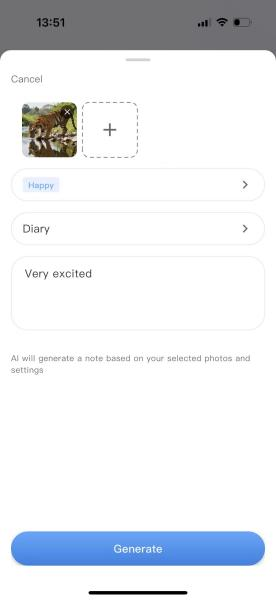
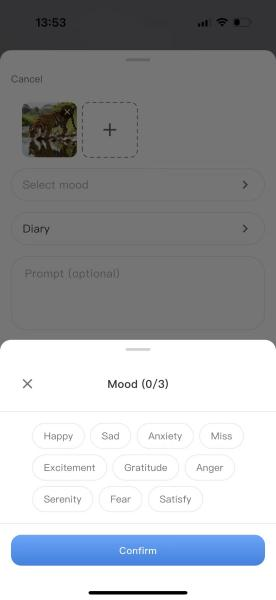
3. Select mood tags: choose 1–3 mood tags from the available options.
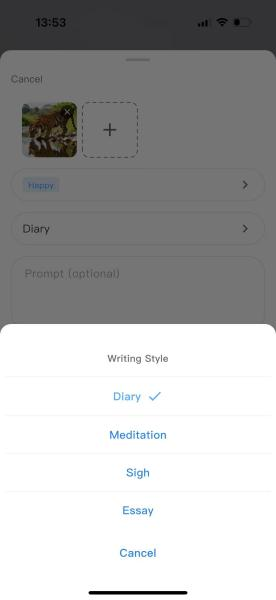
4. Tap<Notes> locationInput box,You can select a note style, for example, the “Essay” style.
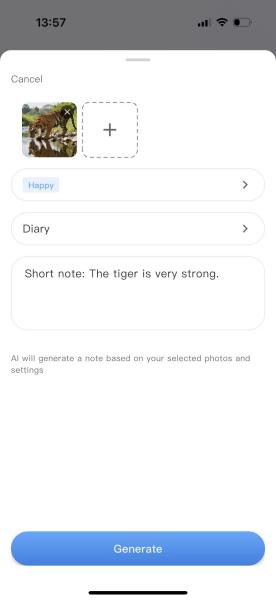
5. Additional Prompts, At the bottom,<Prompts>Enter requirements in the box, for example:A short note: This tiger is very strong.
6. Generate content. After filling in all fields, tap the Generate button to return to the AI Notes page and view the generation progress.
7. After generation is complete, the created notes can be viewed under <Completed> or <All>.