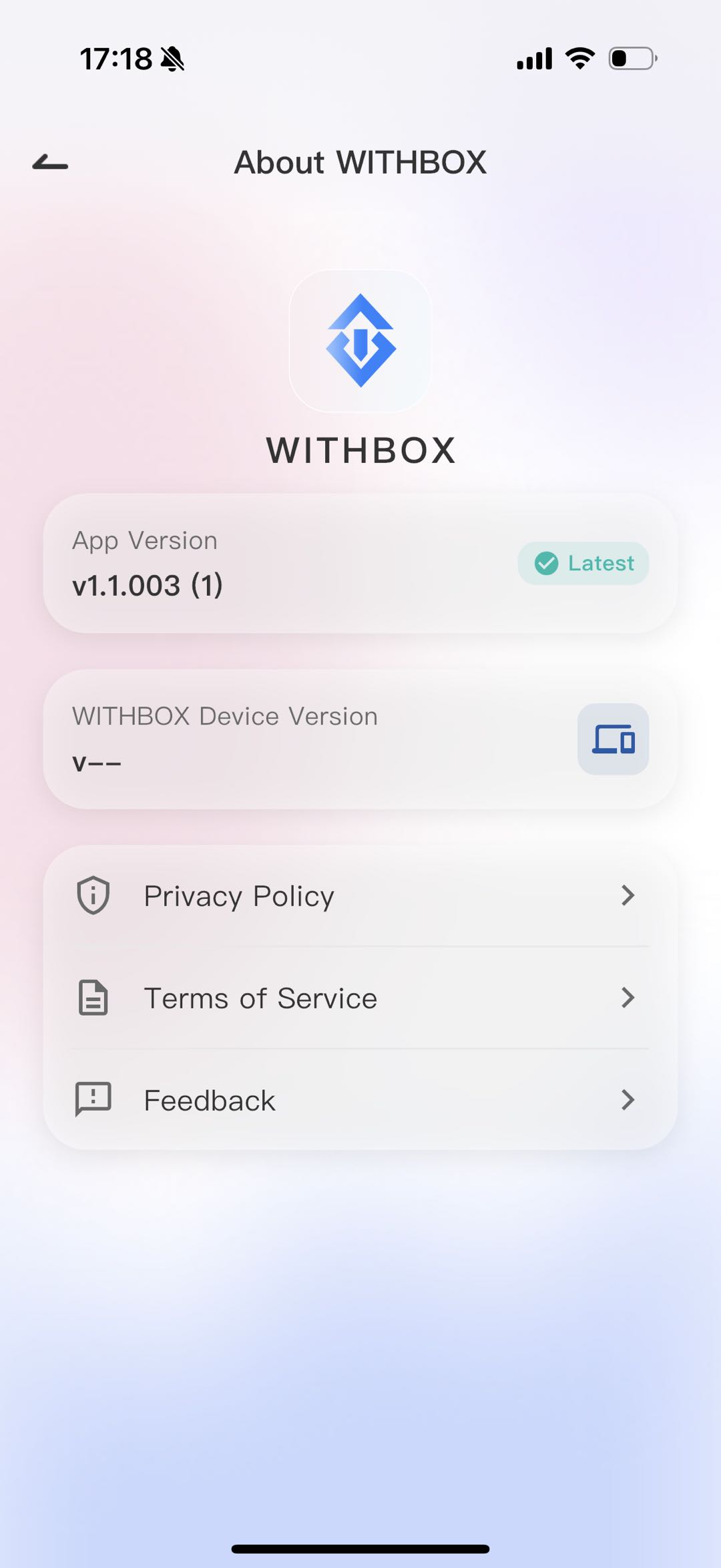
How to check WITHBOX APP Version
l WITHBOX Version Query Steps
1. Open WITHBOX, tap the avatar in the upper-left corner of the homepage to expand the personal menu.
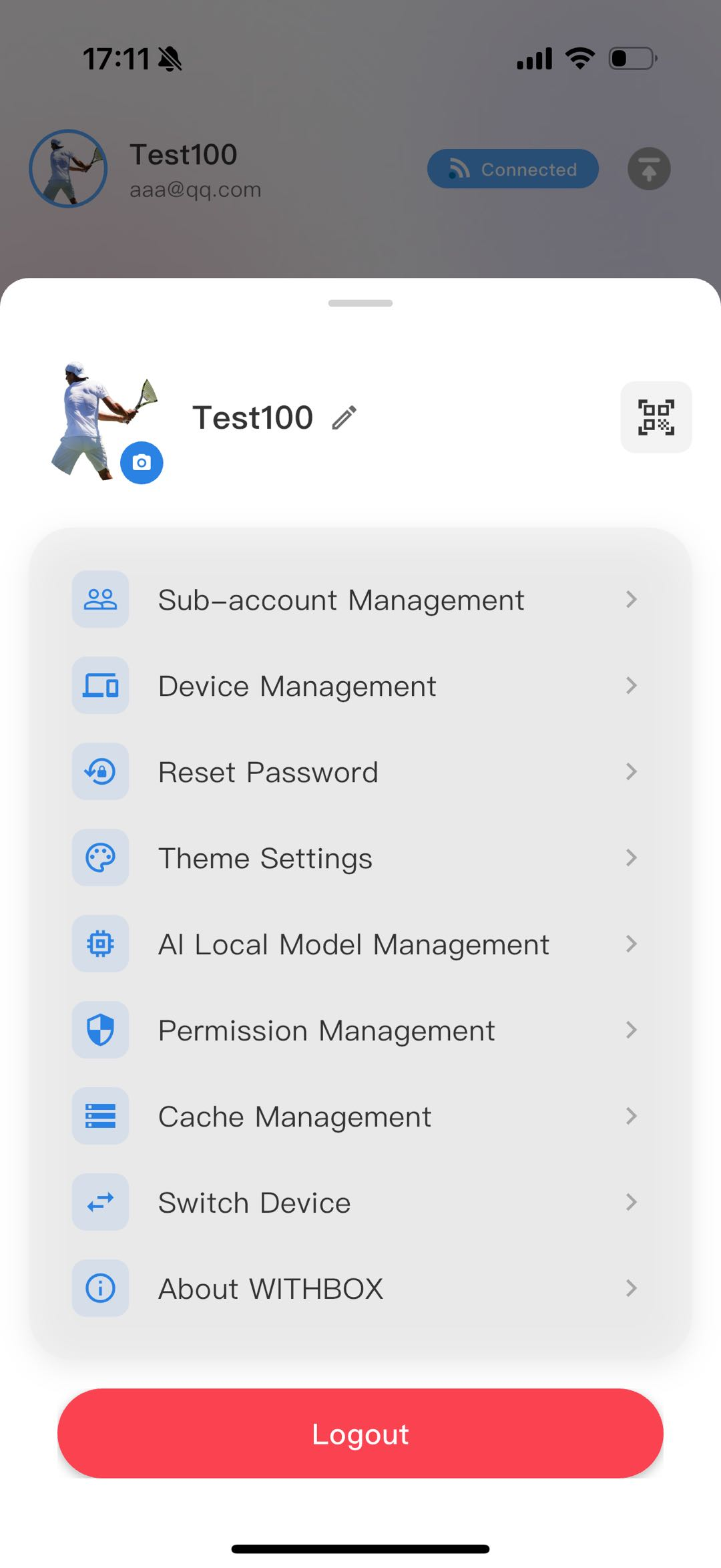
2. In the pop-up list, tap the bottom option “About WITHBOX.”
3. On the page that appears, the first line shows APP Version: v1.1.002(1), which is the mobile client version. A “Latest” label on the right indicates the currently installed version is up to date.