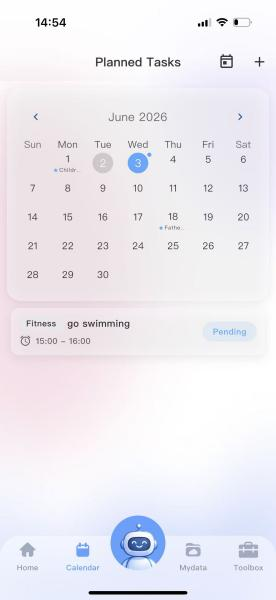
How to Create To-Do Items?
How to Create To-Do Items?
1. Access the To-Do Items interface;
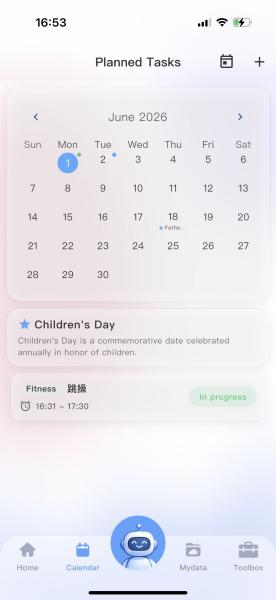
2. 点击右上角”+“进入编辑代办页面。
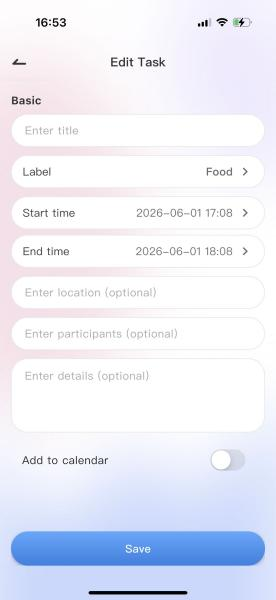
3. 填入标题,在标签处选择分类,开始时间,结束时间,地点,人员,详情:比如填写任务备注、注意事项,如“带好项目资料”“提前10分钟到场”
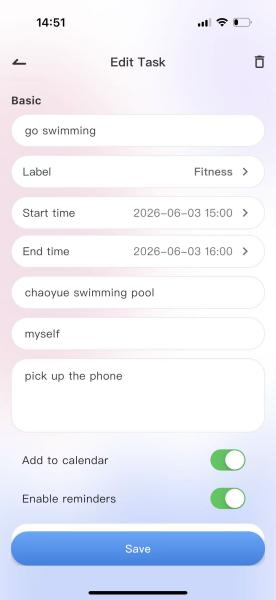
4. 根据需求,点击是否需要加入系统日历,加入系统日历,即会在手机“日历”对应日期中找到日程的详细资料。
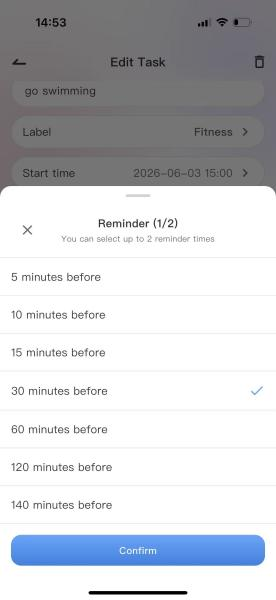
5. Set reminders as needed, including the reminder time.
6. After creation, click Save to successfully create the to-do item. The item can then be viewed in the calendar on the corresponding date.