How to Delete a Sub-account?
Deleting a sub-account means a management operation initiated by the master account to remove a sub-account under it. After deletion, the system will enter a 72-hour data-retention buffer period, during which the account can be restored. Once the period expires, all storage space and file data of the sub-account will be permanently erased, the account cannot be recovered, and the sub-account will lose login access. Only the master account has permission to delete sub-accounts.
Step 1: Open the Sub-account Management page
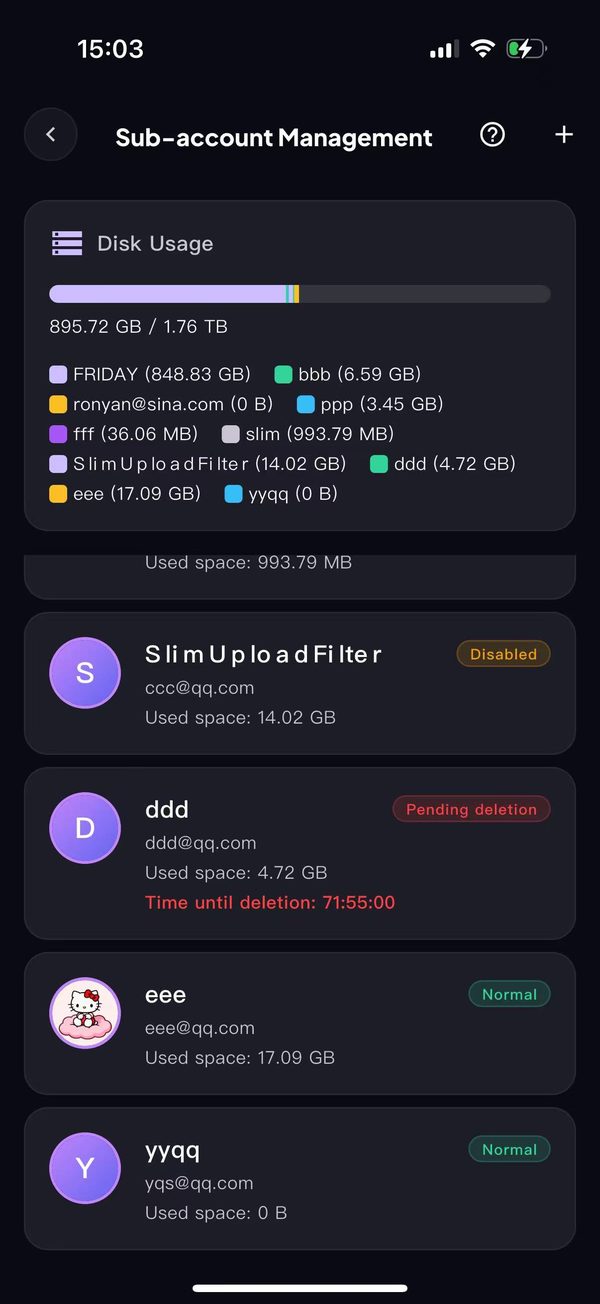
Step 2: Find the sub-account you want to delete. For example, to delete the account "yyqq".
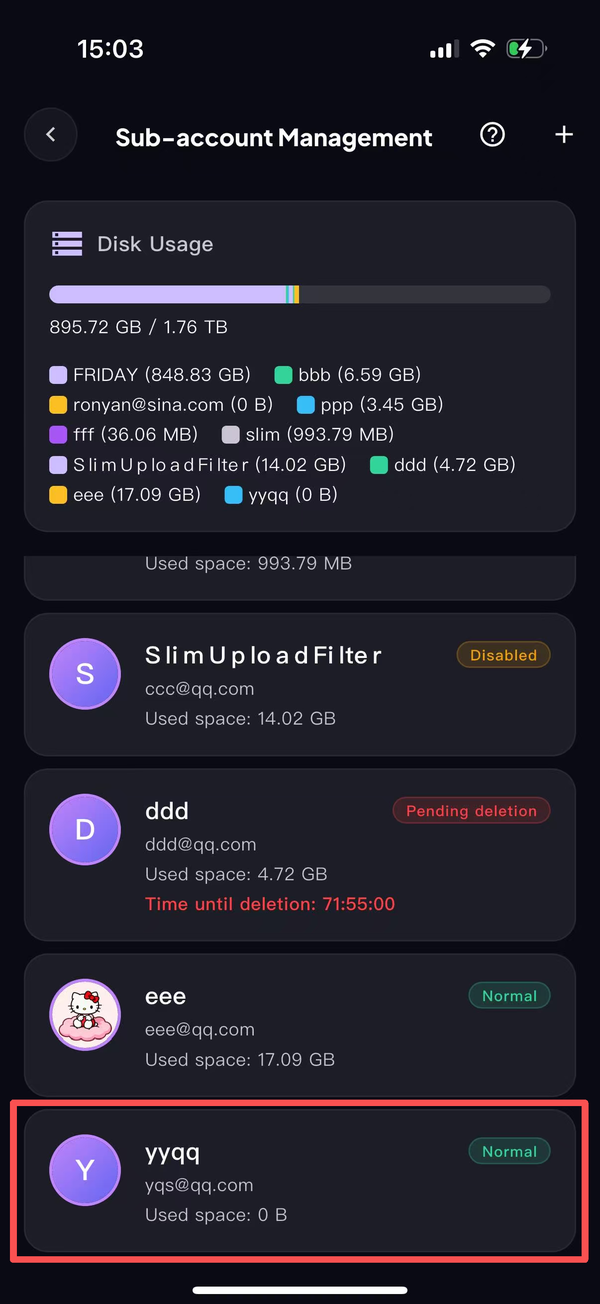
Step 3: On the account list page, long-press the "yyqq" item for 2 seconds to open the action menu, then tap the red [Delete] button;
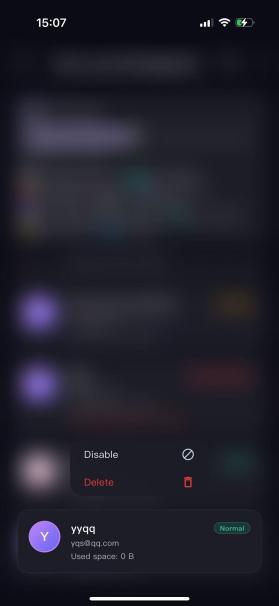
Step 4: A "Confirm Deletion" pop-up appears on the page, warning that all data of this user will be cleared after 72 hours. In the pop-up, tap the red [Delete] button on the right to confirm the sub-account deletion;
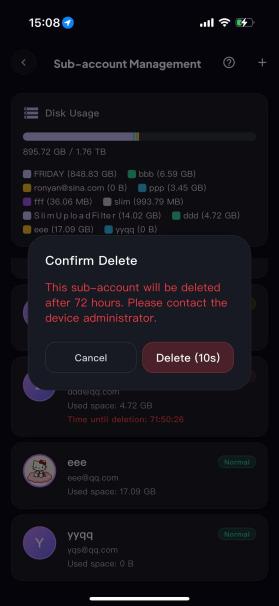
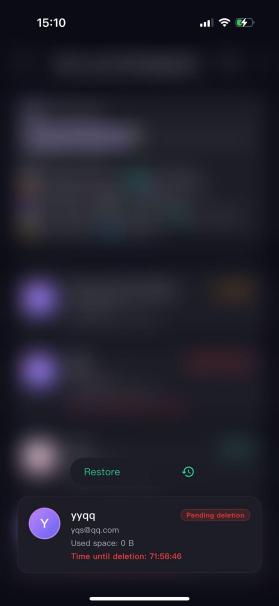
Step 5: After confirming the deletion, a [Delete] button will be shown on the right side of the account;
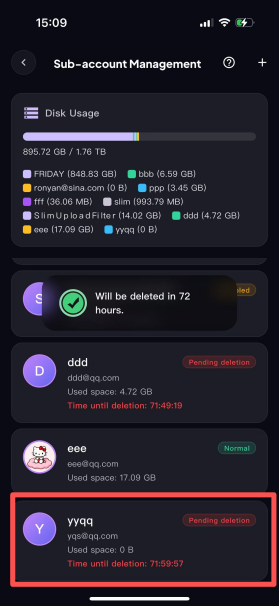
Step 6: To restore it, long-press and tap the [Restore] button;