How to Manage Sub-Accounts
How to Manage Sub-Accounts
Step 1: Access the Sub-Account Management Page, Tap the avatar in the upper-left corner of the homepage to open the personal menu bar..
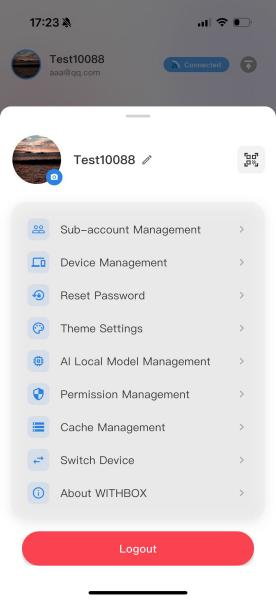
Step 2:Tap “Sub-Account Management” in the menu list to enter the account list page.
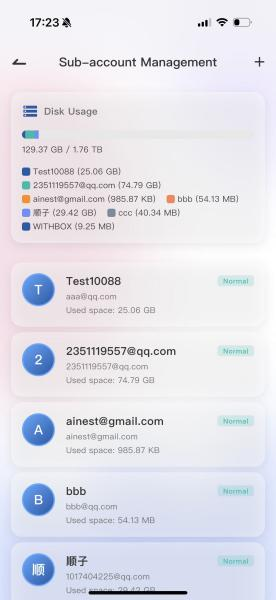
Step 3:Open the Add pop-up. Tap the “+” button in the upper-right corner of the page to display the [Add Sub-Account] form
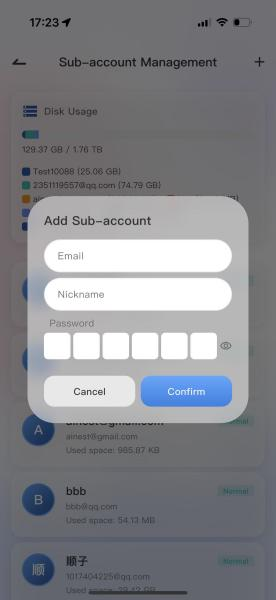
Step 4: Fill in account information. Email: Enter the sub-account login email (QQ Mail / Gmai/NetEase Mailare all supported as login accounts)., Nickname: Customize the display name for the account (e.g., family member’s name, colleague’s abbreviation). Set a 6-digit login password; the eye icon on the right can show/hide the password .
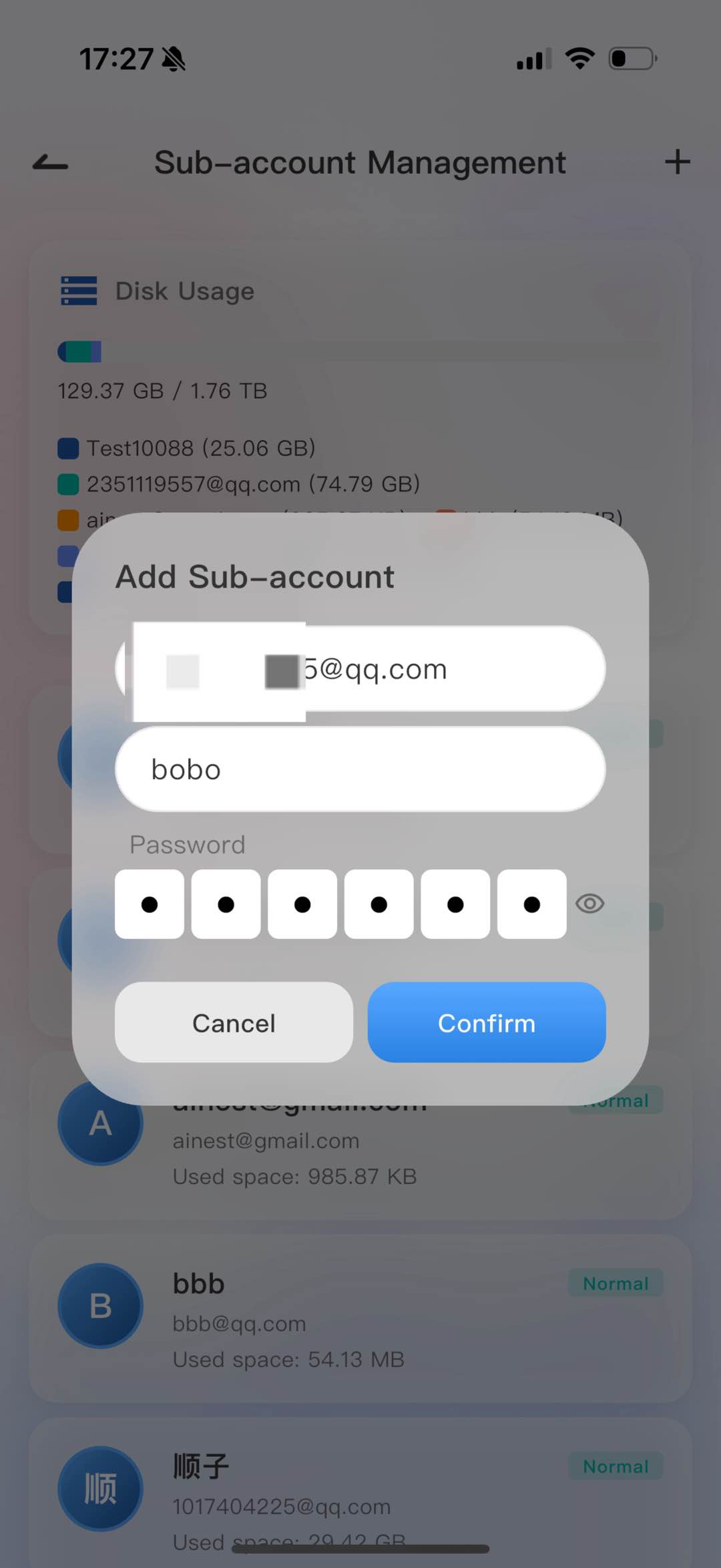
Step 5:Complete Creation. After all information is filled in, tap the blue Confirm button to generate the new sub-account; tap Cancel to discard.
Tips: :1. 创建完成后,新账号会出现在下方账号列表,状态默认正常,可查看该账号后续磁盘占用容量; 2.To modify or deactivate a sub-account later, simply tap the corresponding account in the list to enter the editing page.