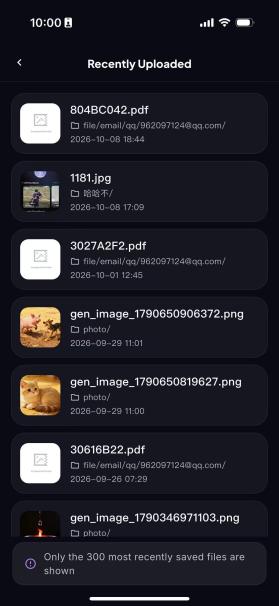
Browse Recently Played Movies, Music or Uploaded Files
Browse Recently Played Movies, Music or Uploaded Files
Browsing Recently Played Movies:
Step 1: Tap to go to the Home page
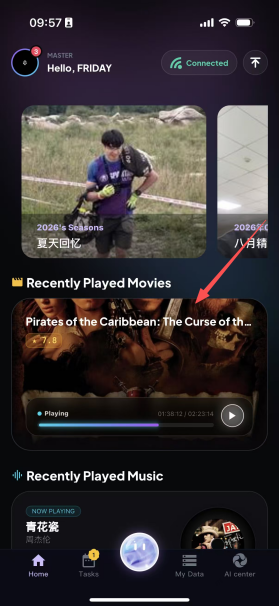
Step 2: Select a recently played movie to open it, and you can continue watching from where you left off last time.

Going to the Recently Played Music Page:
Step 1: Tap to go to the Home page
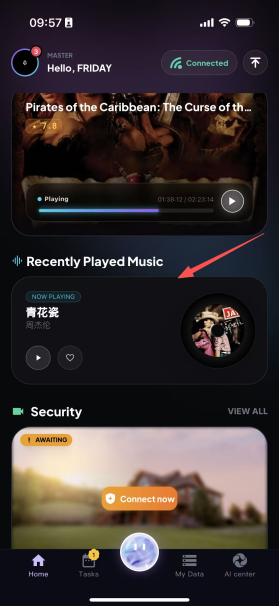
Step 2: Select recently played music to open it, and playback continues from the music that was played last time.

Going to the Recent Uploads Page:
The Recent Uploads module centrally displays images, videos and other files that the user has recently uploaded to the platform. It automatically sorts them in reverse chronological order by upload time, so you can quickly view the latest uploaded content. It can display up to the 300 most recently saved files, making it easy for users to trace, preview and manage their uploaded files.
Step 1: Go to the Home page
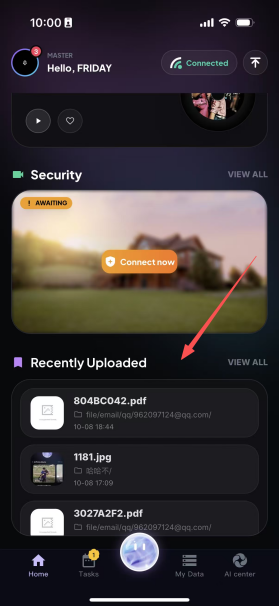
Step 2: Select Recent Uploads, and you can view all recently uploaded files here.