Device Activation - Wired Activation
Device Activation - Wired Activation
Video Guide:
The process of submitting the device serial number online to the manufacturer's server to complete device identity verification, bind an account, and activate the full set of official services.
Wired (Ethernet) Activation Process
The activation process that applies when the user connects through the Ethernet port.
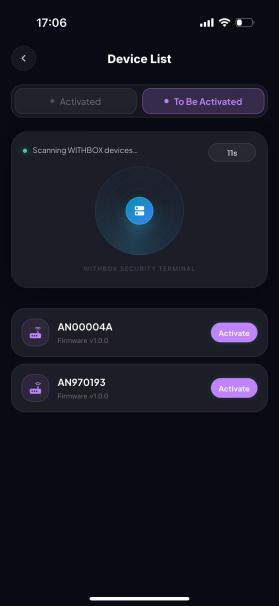
Step 1: Make sure Bluetooth is turned on for your phone. You can then access the device list, find your device name (for first-time activation, the device name is the SN number on the bottom of the device — locate the matching SN number), and tap Activate;
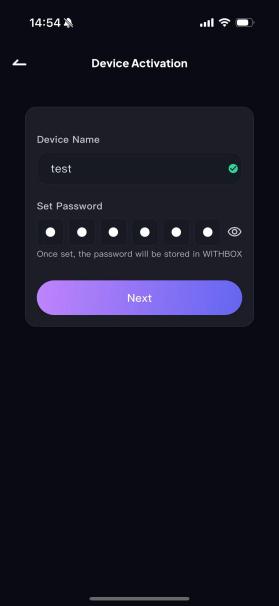
Step 2: Name the device during activation (the device name is used to tell multiple devices apart; for example, you can set it to “Office”, “Home”, etc.), set a 6-digit device password (the password is used for secondary verification when connecting to the device and is stored inside the WITHBOX device), and tap Next;
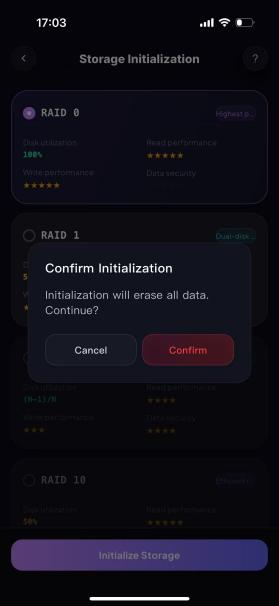
Step 3: Storage mode initialization — the RAID mode can be selected as needed (RAID 0 by default; see Table 1 for details on each RAID mode);
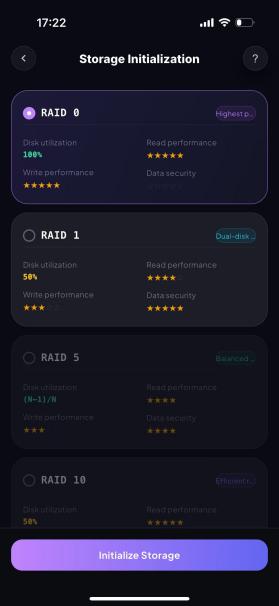
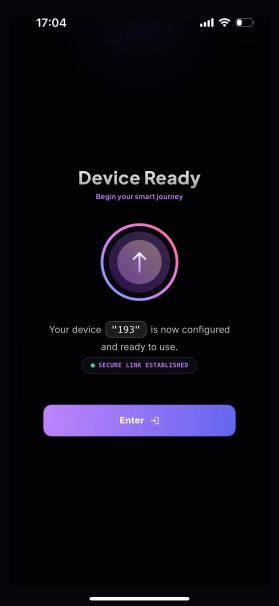
Step 4: Tap Initialize. A confirmation button pops up on the page; tap Confirm to enter the device management home page, and the device is ready for normal use.