How to Create a To-Do Item?
How to Create a To-Do Item?
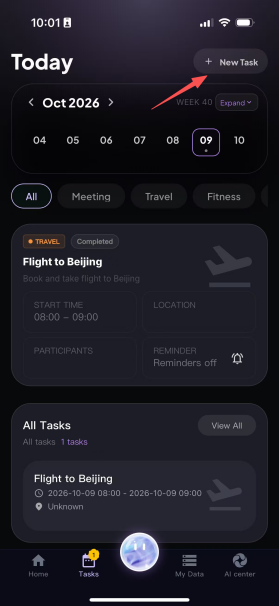
Step 1: Go to the To-Do page;

Step 2: Tap the "+" in the upper-right corner to go to the To-Do editing page.
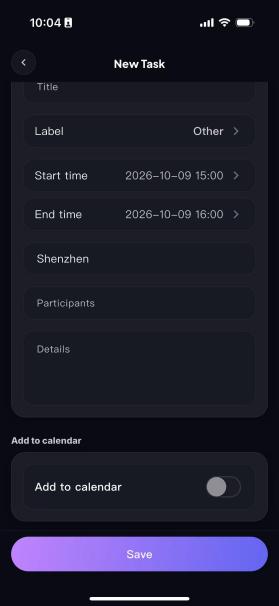
Step 3: Enter a title, then select the category under Tags, as well as the start time, end time, location, participants and details. For example, fill in task notes and things to keep in mind, such as "Bring the project materials" or "Arrive 10 minutes early".
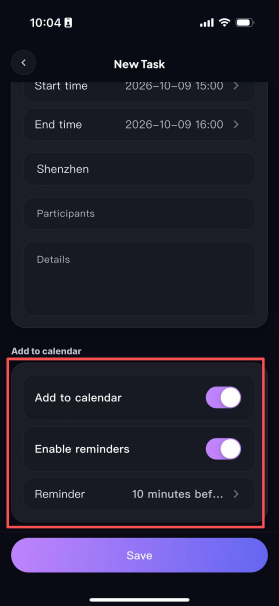
Step 4: Depending on your needs, tap to choose whether to add it to the system calendar. Once added to the system calendar, you can find the details of the schedule on the corresponding date in the "Calendar" app on your phone, and set a reminder and reminder time as needed.
Step 5: Once everything is filled in, tap Save, and the to-do item is created successfully. You can then view the to-do item on the corresponding date in the calendar.