arrow_back BACK_TO_DIRECTORY
How to Upload Music on the Web
How to Upload Music on the Web
Step 1: Click the File Management icon,
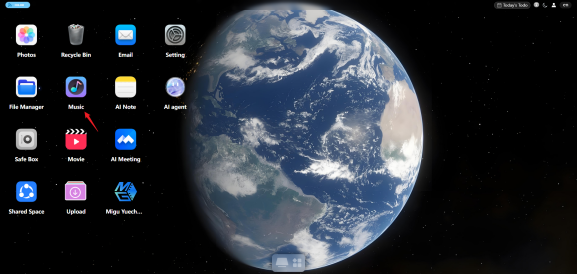
Step 2: Open the Music files,

Step 3:
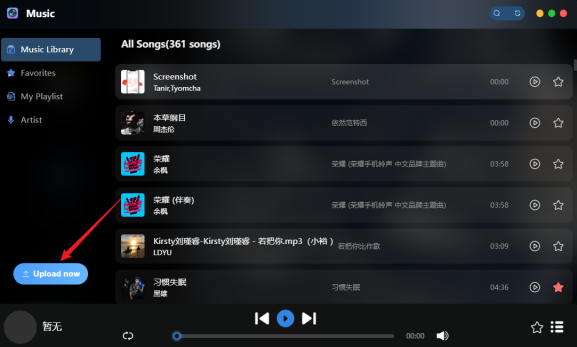
Click the Upload File button in the lower-left corner to upload files or folders.
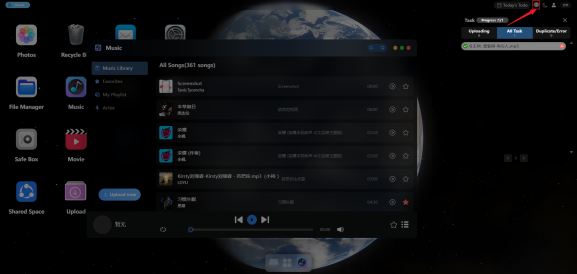
Step 4: After uploading, the upload progress is shown on the right side of the page.
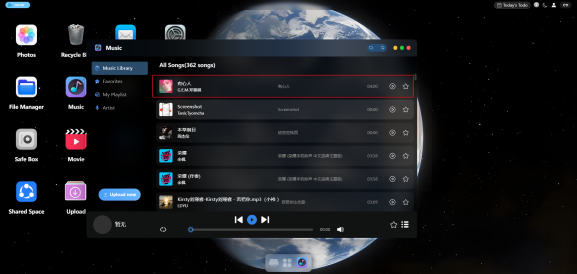
Step 5: When the progress is complete, you can view the uploaded music files on the Music Files page. Click the music playback icon to find the uploaded music.
Note:
Music can currently only be uploaded in the file area. Supported file formats:
mp3, wav, aac, m4a, flac, ogg, wma, aiff, alac, ape.